FeaturesThe inspection
The inspection, on your phone.
Your own checklist, room by room. Each photo stays with its finding, and the wording is yours.
Today, and with ducksoup.
TodaySixty photos, matched to findings from memory.
With ducksoupEach photo is taken on its finding. There is nothing to match up later.
TodayNotes written on site, then typed again into the report.
With ducksoupWhat you record on site is the report. Nothing is typed twice.
TodayThe template has one bathroom and the house has two, so you copy and paste.
With ducksoupTap plus for each bedroom, bathroom or outbuilding the house has.
How it works.
Open the job
It opens on your template. Under Rooms and areas, tap plus for each bedroom, bathroom or outbuilding the house has. Each one becomes a tab.
Work through the room
Each item on the checklist has its own questions: yes or no, a number, a choice. A tab fills in as you go, and shows a tick when every item is covered.
Record a finding
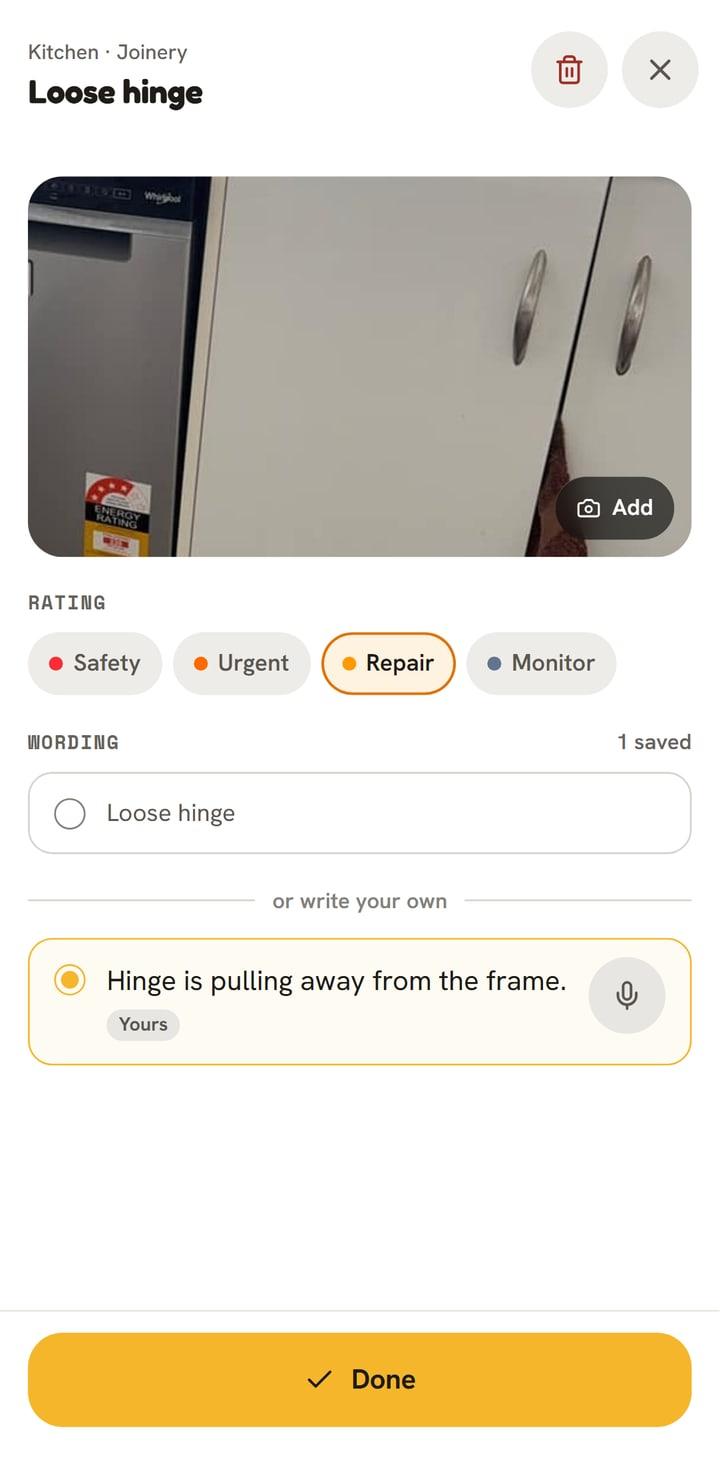
Tap the plus on an item, take the photo and pick a rating. Your saved lines for that item are there to tap. Change the words for this house without changing the saved line.
Or say it
Tap the microphone and say what you found. ducksoup turns it into one tidy sentence and shows it to you. Change any word, then save.
Finish
Finish lists anything you have not recorded. It never stops you.
Watch one inspection.
One minute, from the checklist to the finished report.
The awkward cases.
You use your own rating names
Findings start with Safety, Urgent, Repair and Monitor. Rename them to the ratings you use.
You could not get into the roof space
Mark the item not inspected and give the reason. It is stated in the report.
You want photos that are not a problem
Add photos of the room, or of one item.
You would rather talk than type
Talk your way round a room, taking photos as you go. ducksoup writes it up as findings for you to check one by one.
You deleted a finding by mistake
You have ten seconds to bring it back.
Good to know.
- It does not find defects for you. You inspect, and it writes down what you found.
- Wording by voice and Walkabout use AI. ducksoup asks first, and both can be switched off.
- The Android app is not out yet. On an Android phone you use ducksoup in Chrome.
Questions.
Do I have to use the voice wording?
No. Tap your saved lines or type, as you do now. Voice is there if you want it, and it can be switched off.
Can I change my checklist on site?
Yes. Add an item from your phone as you come to it.
Does it stop me finishing if I missed something?
No. Finish lists anything you have not recorded, and you decide.
Next in the job
The report.
Laid out in your template, signed off by you, sent as a link and a PDF.
Also in ducksoup
Try it on your next inspection.
Sign up in a minute. An example job and its report are there when you get in.